Gift Cards
Let anyone buy a gift card for someone else. The recipient gets a code by email and redeems the balance toward tickets for your events.
Feature overview: Sell gift cards
What is a gift card?
A gift card is a prepaid voucher one person buys as a present for someone else. The recipient is emailed a 12 character code and spends the balance on tickets for your events.
- You choose the amounts you sell (for example 25, 50, 100), the currency, and how buyers pay.
- A buyer picks one of your amounts, enters the recipient's name and email plus an optional message, and pays.
- The recipient gets the card by email and enters its code at checkout to take the balance off their ticket order.
Gift cards are balance-tracked, not single-use. If an order costs less than the card, the remainder stays on the code for next time. If it costs more, the card covers what it can and the customer pays the difference with the event's normal payment method.
Where a card can be spent
A card belongs to the schedule that sold it. At checkout it is accepted on an event when all three of these are true:
- The event is on that schedule, including events you add after the card was sold.
- The event belongs to the same account that sold the card. A curator schedule listing another organizer's event cannot take your card, because the payout goes to them.
- The event's ticket currency matches the card's currency.
Redemption happens in the ticket checkout only. Appointment bookings have no gift card field, so a card cannot pay for a booked time slot.
Selling gift cards is a Pro feature, and is included on all selfhosted deployments. Cards you have already sold stay redeemable even if you later turn selling off or your plan lapses.
You switch gift cards on in the Gift cards row of the Tickets tab of a schedule's edit page, and follow the cards you have sold on the Gift Cards tab of Admin Panel → Sales.
Step 1 - Enable gift cards
Gift cards are set up per schedule, so each schedule has its own amounts, currency and codes.
- Open Admin Panel → Schedule → Edit Schedule.
- Choose the Tickets tab and open its Gift cards row.
- Turn on Enable gift cards.
- Fill in the settings that appear under the switch (they stay hidden while it is off), then Save.
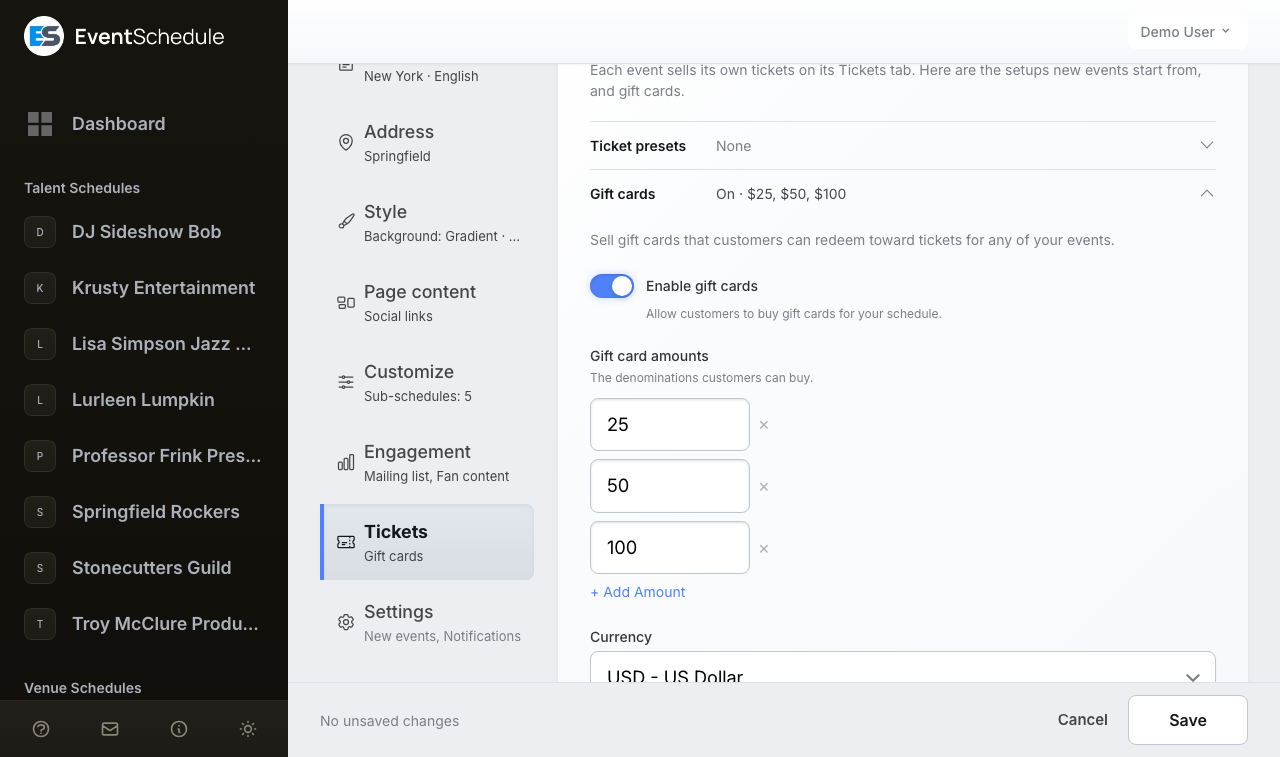
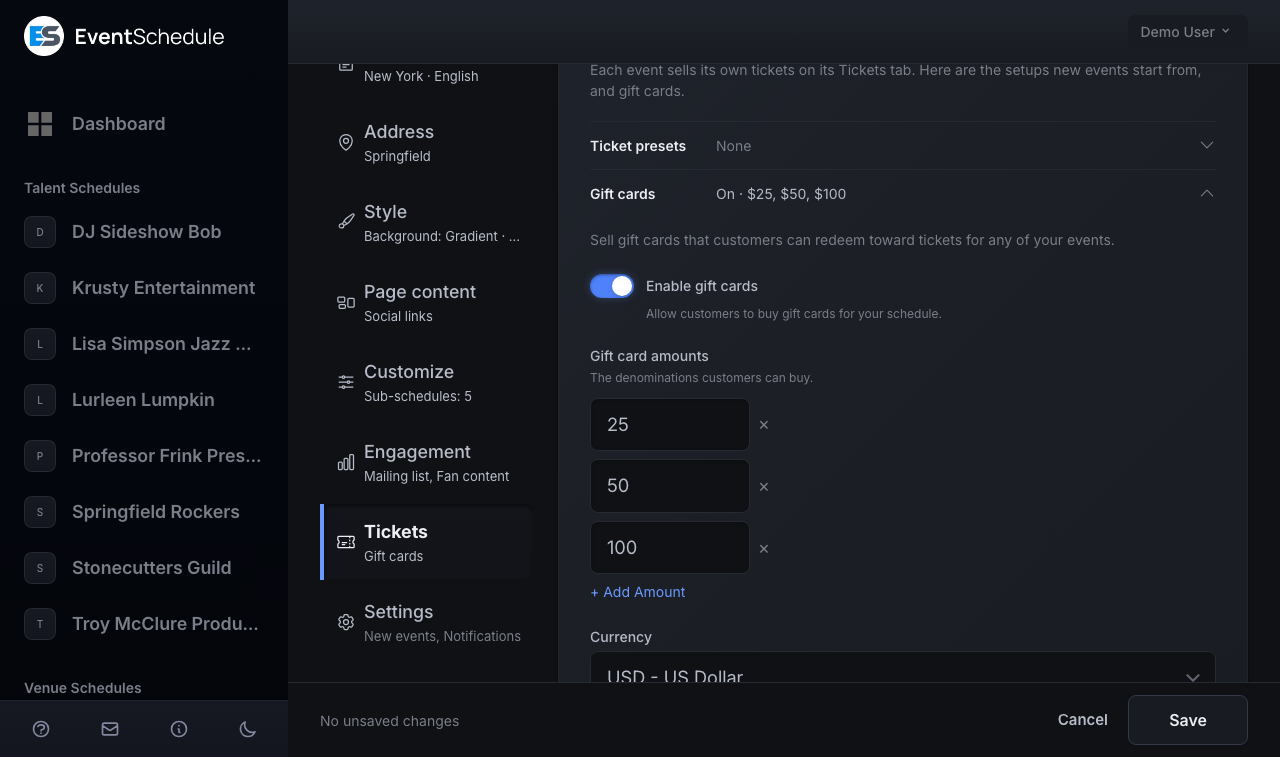
On a free schedule the row carries a lock and opens on an upgrade prompt instead of the settings, because selling gift cards requires Pro.
| Setting | What it does |
|---|---|
| Enable gift cards | Lets customers buy gift cards for this schedule. Turning it off later hides the purchase page but never blocks cards that were already sold. |
| Gift card amounts | The denominations buyers can choose. Add each with + Add Amount: up to 12, each above zero and no more than 99,999. Duplicates are dropped and the list is saved lowest first. Buyers pick one of your amounts and cannot type their own, so nothing is on sale until you save at least one. |
| Currency | Cards can only be redeemed at events priced in this currency. It defaults to the currency of your most recent ticketed event, or the platform currency if you have not priced one yet. |
| Valid for (days) | How long a card stays usable, counted from the moment payment is confirmed rather than from purchase. Anything from 1 to 3650 days. Leave it empty and cards never expire. |
| Payment Method | How buyers pay: Cash, Stripe, Invoice Ninja, or your payment link. Only the methods the schedule's owner has already connected are listed, and Cash is the default. Payfast, PayPal and Razorpay cannot be used for gift cards even when they are connected. |
Before the purchase page goes live
You can save the settings at any time, but the purchase page returns a 404 and the buy buttons stay hidden until every one of these is true:
- The schedule is on Pro (or the install is selfhosted).
- Enable gift cards is on and at least one amount is saved.
- The payment method you picked is actually connected. Use Manage payment methods under the list to connect Stripe, add your Invoice Ninja key, or set a payment link. Cash needs nothing.
- On eventschedule.com only, the schedule has its own email settings. Until it does, a notice at the top of the row says so and links to them.
The email requirement exists because the recipient's email is the delivery. On eventschedule.com a schedule must have its own SMTP host and username saved under Edit Schedule → Integrations → Email Settings before gift cards go live. Selfhosted installations use the server's mail configuration instead, so there is nothing extra to do. See email settings.
Once selling is live, a Gift card purchase link appears at the bottom of the row with a Copy button. Share it in a newsletter, a social post, or anywhere you would put a ticket link.
Step 2 - A customer buys one
While selling is live, two entry points appear on your public pages: a Gift Cards button in your schedule's header, and a Gift cards available - buy one link under the ticket selector on your event pages. Both disappear the moment selling is switched off. On the purchase page the buyer:
- Picks one of your amounts. The first one is preselected.
- Enters their own name and email.
- Enters the recipient's name and email, and an optional personal message of up to 500 characters. Ticking Send to myself hides those three fields and buys credit for the buyer's own use.
- Presses Buy Gift Card and pays with whichever method you chose.
Before they pay, the page tells them how the card is delivered, whether it expires (and after how many days), and that it works for any event on your schedule.
Activation and emails
A card is only activated once its payment is confirmed: Stripe and Invoice Ninja activate it from their payment notification, a payment link activates it when the buyer returns, and a cash card waits for you. Activation is what starts the expiry clock and sends the emails:
- The recipient gets the card itself: the amount, the code, the buyer's message, the expiry date if there is one, and a link to a private card page.
- The buyer gets a receipt with the code as a backup. This one is skipped when the buyer's address and the recipient's address are the same, since it would be the same inbox.
- You get a sale notification. It goes to every owner and admin of the schedule who has turned on New ticket sale under Edit Schedule → Settings → Notifications. That toggle is off by default and each team member controls their own.
A cash card is created as Pending Payment and nothing is emailed yet. Collect the money, then open the card's row on the Gift Cards tab of the Sales page and press Mark Paid to activate it and send the code. Cash cards are never cancelled automatically. An unpaid Stripe, Invoice Ninja or payment link purchase is cancelled for you 48 hours after it was started, so abandoned checkouts do not pile up.
Step 3 - Redeem at checkout
The ticket checkout gets a Gift Card field. It appears only when a schedule on the event, owned by the same account, has at least one card that is still active, still in credit and not expired. When the event also has a live promo code, the two fields sit together under the heading Have a discount or gift card code?, with the gift card second.
- The customer opens the event and chooses their tickets.
- They type the code into Gift Card and press Apply. Lower case, spaces and dashes are all fine.
- The code is checked straight away, and they see how much is applied and how much will be left on the card.
- They finish checkout and pay whatever is still owed.
The card comes off after any volume discount and promo code, so it is applied to the already discounted total:
- Order costs less than the card: the difference stays on the card for a future order.
- Order costs more: the card covers what it can and the customer pays the rest with the event's payment method.
- Card covers the whole order: there is nothing left to pay, so the order is marked paid immediately and the ticket is emailed.
Why a code can be refused
A code is rejected when it is not yet paid for, cancelled, refunded, expired, out of balance, in a different currency from the event (the message names both), or when the event belongs to a different account. Unlike a promo code, an unusable gift card stops the checkout rather than quietly charging full price, because the customer is expecting it to pay for the order.
Stripe will not process a charge below 50 of the currency's smallest units (0.50 USD or EUR, 50 JPY). Payfast has its own floor of R5.00, and Razorpay one of ₹1.00. On an event taking payment through any of them, if applying the whole balance would leave less than that still to pay, slightly less is applied and the small remainder stays on the card, so checkout never lands on an amount the gateway would refuse. Events paid by cash, PayPal, Invoice Ninja or a payment link have no floor and are not adjusted.
An abandoned checkout gives the balance back
The balance is deducted when the order is created, so an unpaid order would otherwise hold it. If the customer walks away without paying online, that order is expired 48 hours later and the deducted amount goes back onto the card automatically. Cash orders are skipped by that cleanup, since those are settled with you in person, so cancel one yourself if the customer never turns up (or set Expire unpaid tickets in the event's Sales rules row to release them on your own schedule).
Step 4 - Track & manage
Open Admin Panel → Sales and choose the Gift Cards tab, which carries a count of the cards you have sold. The tab is there on Pro, and on any account once a card has been sold. Two figures open it: the number of cards, and the balance still outstanding on active cards (one total per currency). Under them it lists every card sold on the schedules you manage, newest first. Each row shows the code with the recipient under it, the purchase date, the remaining balance against the original value, a status, and a View Gift Card link.
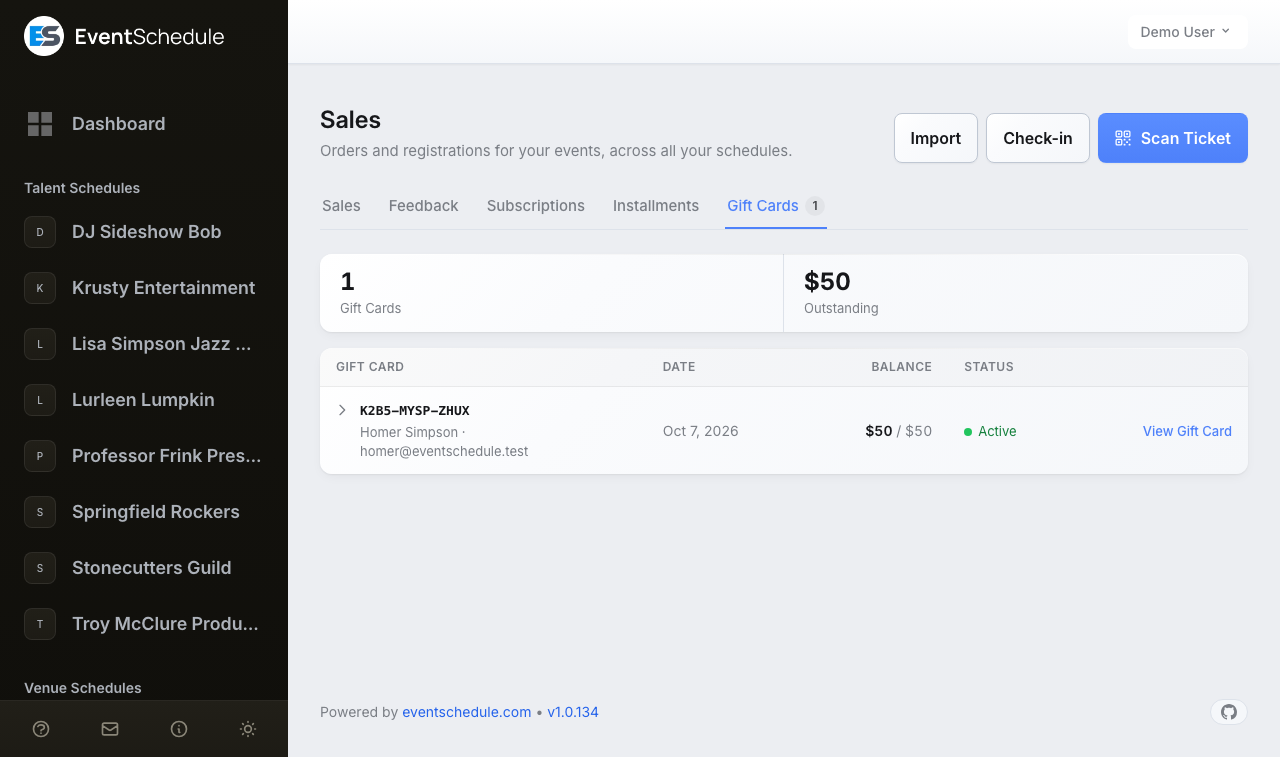
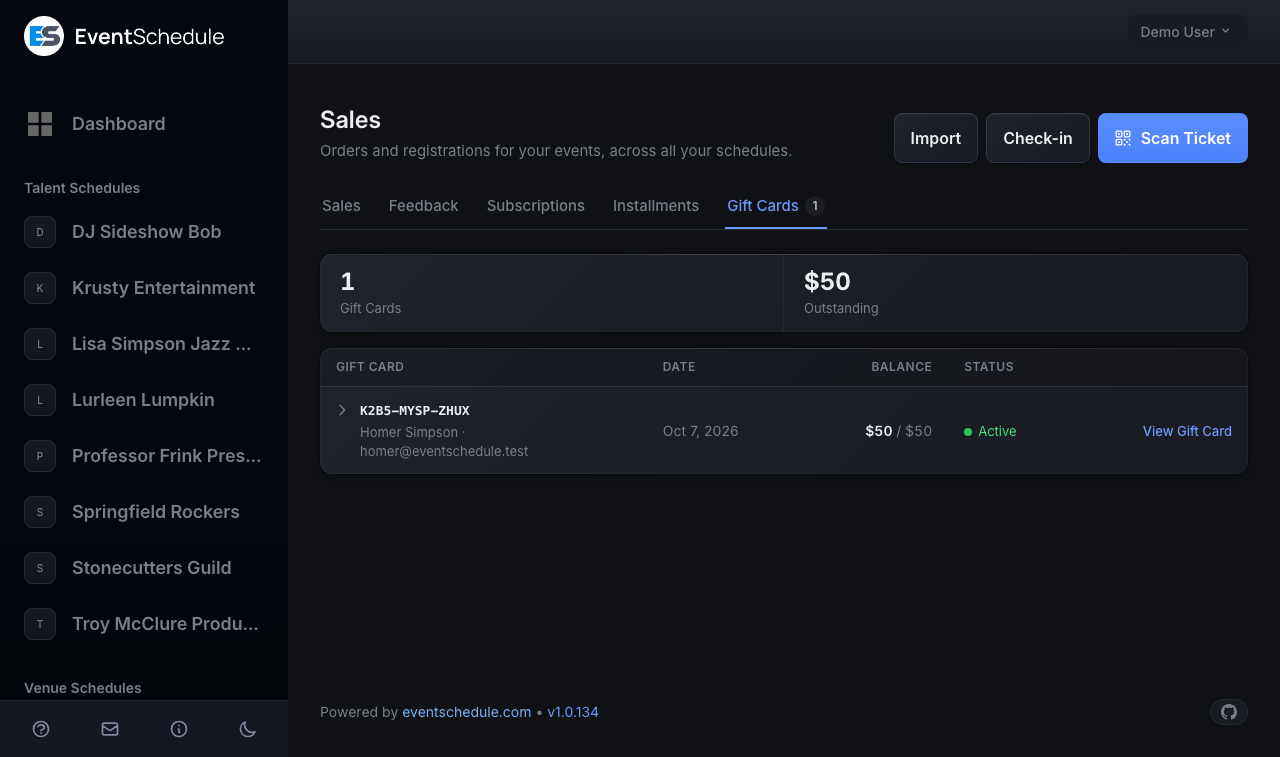
Press the arrow before the code to open a row: the personal message, the buyer, the payment method, the expiry date, which schedule sold it, every order the card was redeemed against, and at the bottom the actions that apply to the card. Orders that used a card also show it: a Gift Card chip with the amount under the order's total in the Sales list, a Gift Card line on the attendee's ticket, and Gift Card and Gift Card Amount columns in the CSV export.
Actions
| Action | What it does | Available when |
|---|---|---|
| View Gift Card | Opens the same card page the recipient sees, with the live balance and code. It sits at the end of the row; the other actions are inside the opened row. | Always |
| Mark Paid | Activates the card, starts its validity period and emails the code. | Pending Payment, Payment Review |
| Resend Email | Sends the card to the recipient again if they lost it. Only the recipient is emailed, not the buyer. | Active |
| Refund | Stops the card from being redeemed and records it as refunded. No money moves: see the note below. | Active |
| Cancel | Stops the card from being redeemed, for example a cash card that was never paid for. | Pending Payment, Active, Payment Review |
Mark Paid, Refund and Cancel each ask you to confirm first. Refund and Cancel are one-way: neither can be undone, and a card cannot be reactivated or topped up afterwards. To give a customer more credit, sell them another card.
Statuses
| Status | Meaning |
|---|---|
| Active | Paid for and redeemable. |
| Pending Payment | Bought but not paid for yet, so nothing has been emailed. Normal for cash cards. |
| Payment Review | A payment arrived but its amount or currency did not match the card, so it was not activated. Check the charge with your provider, then Mark Paid if it was correct, or Cancel if it was not. |
| Used Up | The balance reached zero. Nothing to do. |
| Expired | Past its validity date. Any leftover balance can no longer be spent. |
| Cancelled | Cancelled by you, by the buyer abandoning payment, or automatically 48 hours after an unpaid online purchase. |
| Refunded | You refunded it. Past redemptions are kept on the record. |
Used Up and Expired are worked out from the balance and the expiry date rather than being set by hand, so a card flips to them on its own.
Marking a card refunded or cancelled stops it working, but it does not move any money in Stripe, Invoice Ninja or your bank. Do that yourself. Ticket sales are different: Refund Ticket on a Stripe, PayPal or Razorpay sale does send the money back, but a gift card's own Refund never contacts a payment provider.
When a ticket order that used a card is cancelled or refunded in full, the redeemed amount goes back on the card, but only while the card itself is still Active: a card you have already cancelled or refunded is never credited back. A full refund through Stripe, PayPal or Razorpay returns only what the buyer paid on top of the card, and an order the card covered in full shows Mark as Refunded, which puts the whole amount back on the card. A partial refund leaves the card's balance as it is.
Good to know
- One code, reused. A card works over and over until its balance runs out or it expires.
- The codes are easy to read out. Twelve characters, shown in groups of four, using only capital letters and digits that cannot be confused (no O, I, 0 or 1). Entry ignores case, spaces and dashes.
- Every card has its own page. The link in the recipient's email, and View Gift Card in the admin panel, open a private page showing the live remaining balance, the code with a Copy button, the expiry date, the message and how to redeem it.
- Expiry is shown up front. If you set a validity period, buyers see it before they pay, and the date is printed on the card email and page.
- One schedule per card. Amounts, currency and codes belong to the schedule that sold the card. A card from one of your schedules cannot be spent on another.
- Deleting a schedule voids its cards. If any card still has a balance you are warned first, because deleting the schedule voids them permanently.
See Also
- Selling Tickets - set up ticketing, payment methods, and ticket types
- Subscriptions & Passes - sell a multi-use pass across many events
- Creating Events - add the events your gift cards can be spent on
- Email Settings - required on hosted schedules before gift cards can be delivered