Webhooks
Receive real-time HTTP POST notifications when events happen in your schedules.
Overview Pro - Requires the Pro plan
Webhooks let you receive automatic POST notifications on your own server when something happens in your schedules: a ticket is sold or refunded, an event changes, a ticket is scanned at the door. Instead of polling the API, your application is notified as it happens.
Each delivery carries an HMAC-SHA256 signature so you can verify the payload really came from Event Schedule, and every delivery is written to a delivery log you can open beside the webhook. Webhooks are added and managed in the admin panel, under Settings, on the Developers tab.
Pro - Requires the Pro plan A webhook only fires for events that belong to a schedule on the Pro plan or above. You can add and test a webhook on any account, but if none of your schedules is Pro, nothing will ever be delivered. A selfhosted install counts as Enterprise, so webhooks are available there with no plan restriction.
Webhooks belong to your account, not to an individual schedule, and each delivery goes to the account that created the event. Events you create, in the admin panel or through the API, reach your endpoints whichever schedule they sit on, along with every sale on them. An event a teammate created goes to their webhooks instead of yours, and a guest's submission counts as the schedule owner's. The schedule is identifiable from the payload. Add more than one endpoint if you want to route different event types to different services.
How a delivery works
| Behaviour | What to expect |
|---|---|
| Method and body | A single POST with a JSON body and the headers listed below. |
| Timeout | 5 seconds. A slower endpoint is recorded as a failed delivery. |
| When it is sent | The first attempt goes out right after the request that caused it has finished and its changes are committed to the database. Any retry follows from the queue. |
| Retries | Up to three attempts in all. A timeout, a connection error or a 5xx is sent again about 30 seconds later, and once more about a minute after that. A 3xx or 4xx is not retried, and neither is an address refused at send time. A retry is dropped if the webhook has been disabled or deleted in the meantime. An install on QUEUE_CONNECTION=sync, the selfhost default, has no queue to retry from, so it makes one attempt. Reconcile against the API for anything you cannot afford to miss. |
| What counts as delivered | Any 2xx, on any attempt. Anything else, a timeout, a connection error, a 3xx, a 4xx or a 5xx, is logged as a failed attempt, and the retry rules above decide whether another one follows. |
| Redirects | Not followed. Return your 2xx at the exact URL you registered. |
| Allowed endpoints | Public http or https URLs only. Loopback, private, reserved and cloud metadata addresses are rejected, and so is a host name that does not resolve, both when you save the webhook and again at send time. |
| Delivery log | Every attempt is logged, so a retried delivery appears once per attempt. View recent deliveries lists the 20 most recent with the event type, response status, duration and time, and entries are pruned after 30 days. The first 500 characters of your response are stored with each entry but are not shown in the list. |
Setup
Webhooks are set up in the admin panel: open Settings, choose the Developers tab, and find Webhooks under API Settings. If none of your schedules is on Pro, the section says so at the top.
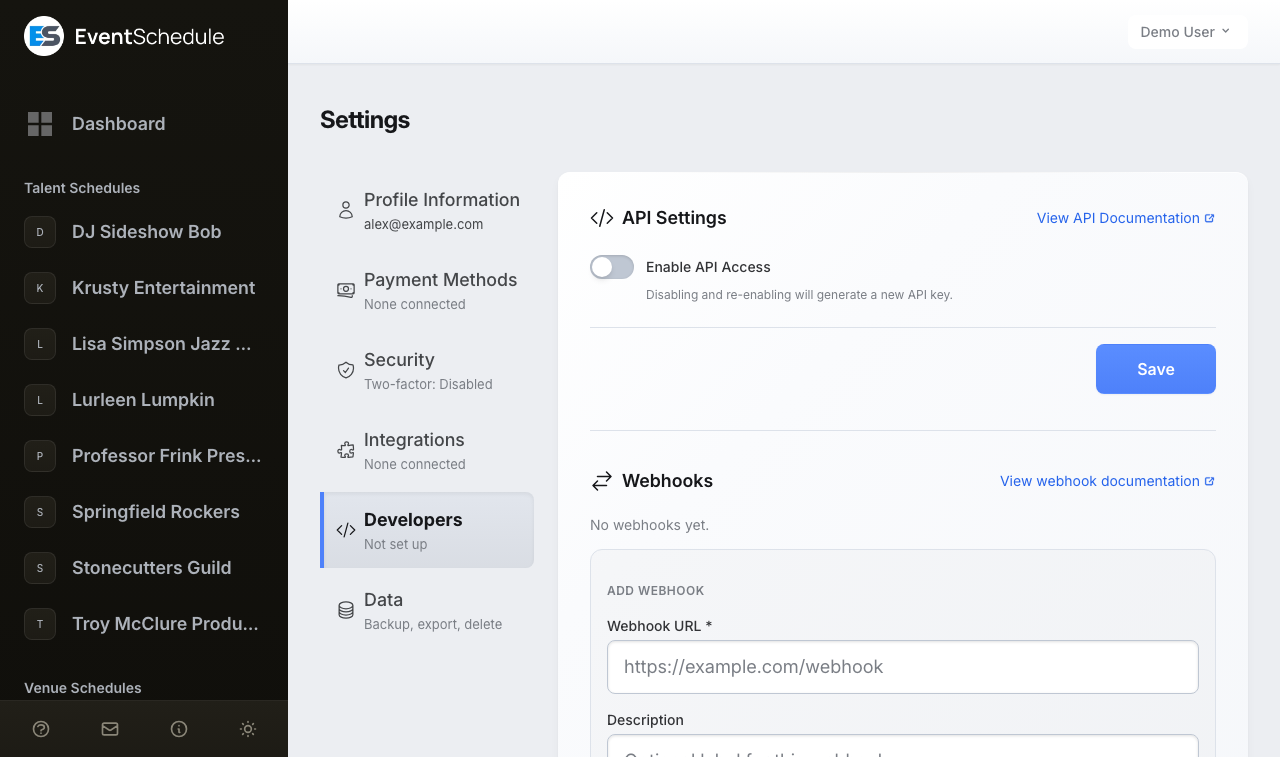
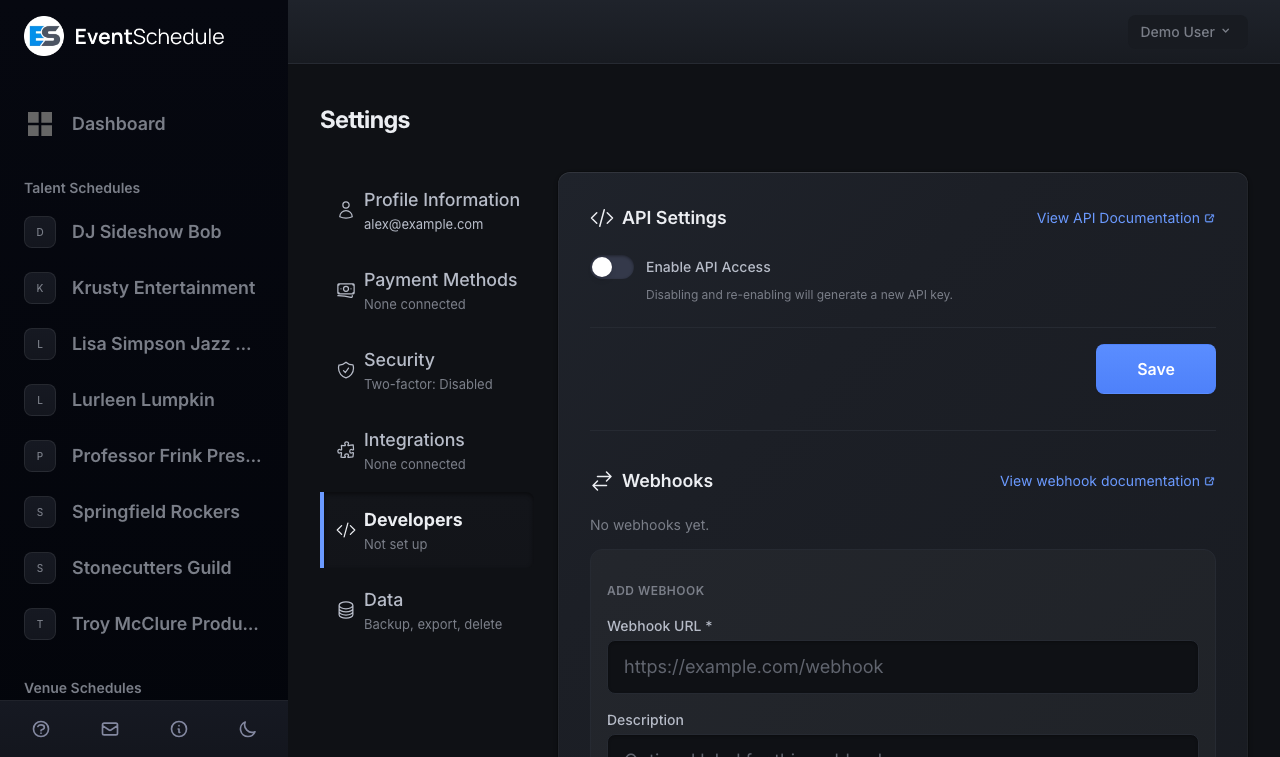
- With no webhook yet, the Add Webhook form is already open. Once you have one, open it with + Add Webhook under the list.
- Enter the Webhook URL, up to 2,048 characters. It has to be a publicly reachable address:
localhost, a private network address and a host name that does not resolve are all refused with "This URL is not allowed." under the field. Use HTTPS: the payload contains buyer names, email addresses and ticket links. - Optionally add a Description of up to 255 characters. It names the webhook in the list; without one the list shows the URL's host.
- Under Event types, leave All events switched on to receive everything, including any type added later. To receive less, switch it off and untick the types you do not want in the list that appears. Unticking every type saves the same thing as All events, so use Disable to silence a webhook instead.
- Click Add Webhook. The signing secret, a 64-character hex string, is shown once at the top of the section with a copy button. Store it before you leave the page: it cannot be displayed again.
- Press Test on the saved webhook and confirm your endpoint answers with a 2xx status. The result is reported as "Test webhook sent successfully (HTTP 200)." or, with the status it did get, "Test webhook failed (HTTP 500)."
Managing a webhook
Each saved webhook is one row: its description or, without one, the URL's host, marked Enabled or Disabled, then its URL, then the event types it receives (the first three and a count of the rest, or All events) and when it was last triggered. Three actions sit at the end of the row.
| Action | What it does |
|---|---|
| Disable or Enable | Pauses or resumes the webhook. A disabled webhook receives nothing, not even a retry of a delivery that was already under way, but keeps its secret and its delivery history. |
| Test | Sends the test payload described under Testing. |
| Edit | Opens a panel under the row to change the URL, description and event types, with its own Save. The three links below sit at the foot of that panel. |
| Regenerate secret | After a confirmation, issues a new secret, shows it once, and invalidates the old one at once, so update your endpoint in the same sitting. |
| View recent deliveries | Expands the last 20 attempts with the event type, the response status, the duration and the time. An attempt that got no response reads timeout, whatever the cause. |
| Delete | After a confirmation, removes the webhook and its delivery log. |
Event Types
These are the fourteen event types you can subscribe to. They are the same list, in the same order, as the boxes under Event types on the Add Webhook form.
| Event | Fires when |
|---|---|
| sale.created | An order is created: a checkout, an RSVP, an appointment booking, or a sale created through the API. At this point the sale is normally still unpaid. A seat sold from the box office and an attendee added by import send nothing. |
| sale.paid | A sale becomes paid: Stripe, PayPal, Payfast, Razorpay or Invoice Ninja confirms the payment, the buyer comes back from a payment link, it is marked paid on the Sales page or through the API, an installment plan's first payment is collected, a platform admin approves a sale held for an amount mismatch, or straight after sale.created for a free order or RSVP. |
| sale.refunded | A sale is fully refunded from the Sales page or the API: Refund sends a Stripe, PayPal or Razorpay sale's money back first, and Mark as Refunded records it for any other method. A partial refund leaves the sale paid and sends nothing. Neither does a platform admin's refund of a sale held for an amount mismatch, nor a refund made in the Stripe, PayPal or Razorpay dashboard, which is never reported back. |
| sale.cancelled | A sale is cancelled by the owner from the Sales page or the API, or a guest cancels their own free registration or free ticket from its ticket page. Deleting a sale, an abandoned checkout, an unpaid sale that expires and a cancelled appointment booking send nothing. |
| installment.paid | A payment of an installment plan is collected. Fires once per payment rather than once per installment, so a four-part plan paid monthly sends four of these, but a buyer who settles the balance in one go sends one that clears several rows. The payload is the sale, with an installment object alongside it. |
| installment.failed | A scheduled payment could not be collected. Sent on each failed attempt, not only the final one. Read installment.outcome to tell the two causes apart: declined is a card the bank refused, while dead_plan, duplicate, amount_mismatch and nothing_due mean money arrived but could not be applied and is waiting on the organizer. A declined attempt also carries error, attempt, is_final and next_attempt_at. A payment parked for bank authentication is not a failure and sends nothing. |
| event.created | An event is published. Publishing an existing draft counts as a creation. |
| event.updated | A published event is saved, whether or not anything changed, an appointment is rescheduled, or a cancelled event is restored. Moving a published event back to draft sends nothing. |
| event.deleted | A published event is deleted. The payload is captured before the row is removed. |
| event.cancelled | An event is cancelled rather than deleted, in the admin panel or through Cancel Event. Its payload has is_cancelled set. |
| ticket.scanned | A ticket or pass QR code is scanned and accepted at check-in. |
| ticket.booked | A pass holder reserves a place on a specific date in advance. |
| ticket.booking_cancelled | A pass holder releases a place they had reserved. |
| feedback.submitted | An attendee submits a rating, and optionally a comment, for an event they attended. |
Drafts never fire an event webhook
Saving, cancelling or deleting a draft event sends nothing. The first delivery for a draft is the event.created you get when it is published.
Group orders send one delivery per ticket holder
When one buyer checks out for several named guests, each row in the order gets its own sale.* delivery. The primary row carries the totals for the whole group; the guest rows report payment_amount as 0 so you do not count the money twice. Use is_primary and group_id in the payload to tell them apart.
A purchase that covered several events carries order_id as well, shared by every row in the order, with is_order_primary set on the one row that anchors it. Money is still reported per group, not per order, so summing payment_amount across an order_id gives the order total without double-counting.
Payload Format
Every payload uses the same three-key envelope: the type in event, an ISO 8601 timestamp, and the record itself in data. Abbreviated example of a sale.paid delivery:
{
    "event": "sale.paid",
    "timestamp": "2026-03-01T12:00:00+00:00",
    "data": {
        "id": "abc123",
        "event_id": "def456",
        "event_name": "Summer Concert",
        "name": "Jane Doe",
        "email": "[email protected]",
        "status": "paid",
        "payment_amount": 25.00,
        "tickets": [
            { "ticket_id": "ghi789", "quantity": 2, "price": 12.50, "type": "General" }
        ]
    }
}
For sale.*, installment.* and ticket.* the data object is the sale object the Sales API returns, and for event.* it is the event object the Events API returns, so one parser can handle both. The real object carries more than the sample above: a sale also includes subdomain, phone, event_date, payment_method, transaction_reference, discount and gift-card totals, total_quantity, group_id, is_primary, order_id, is_order_primary and timestamps, and each ticket row carries is_addon, is_pass, for a pass its usage counters, and on an event with allocated seating the seats it holds. There is no currency field: read the event's ticket_currency_code from the Events API.
Record IDs are the same encoded strings the API uses, so an id from a payload can go straight into an API path. Timestamps are ISO 8601 in UTC, and an event's starts_at is UTC in Y-m-d H:i:s, as in the API. Every event payload carries is_cancelled and cancelled_at, which is how an event.updated sent when a cancelled event is restored can be told from any other update.
A sale.* webhook always includes the sale's secret, the token that opens the ticket page and its QR code, where the API returns it only to the account that created the event or placed the sale. Treat the whole payload as sensitive: use HTTPS, and do not log it or forward it somewhere public.
Types with extra fields
installment.paidandinstallment.failedadd aninstallmentobject withsequence,amount,outcome,referenceand aplansummary:status,currency,total_amount,amount_paid,amount_remaining,installment_count,installments_paid,next_due_at(aY-m-ddate) andnext_amount. A declined attempt has noreference; it carrieserror,attempt,is_finalandnext_attempt_atin its place.ticket.scannedfrom a pass addsscanned_event_idandscanned_event_date, so you can tell which occurrence the pass was used on.ticket.bookedaddsbooked_event_idandbooked_event_date.ticket.booking_cancelledadds the same two fields plusforfeited, which istruewhen the release happened after the cancellation cutoff and the visit was used up.feedback.submittedis the one type that does not follow the API shape. Itsdataholdsevent_id,event_name,event_date,attendee_name,attendee_email,ratingandcomment, and it has noid.
Request Headers
| Header | Description |
|---|---|
| X-Webhook-Signature | HMAC-SHA256 signature: sha256=<hex> |
| X-Webhook-Event | The event type (e.g. sale.paid), matching event in the body |
| X-Webhook-Timestamp | ISO 8601 time this attempt was sent. The timestamp in the body is fixed when the payload is built and stays the same on every attempt, so this header can be a moment later than it, and on a retry a minute or more later. |
| Content-Type | application/json |
| User-Agent | EventSchedule-Webhook/1.0 |
Signature Verification
Every webhook includes an X-Webhook-Signature header containing an HMAC-SHA256 hash of the raw request body, signed with your webhook secret. Always verify this signature before processing the payload.
The signature covers the request body exactly as sent and nothing else, so hash the raw bytes before any JSON parsing or re-encoding. Compare with a constant-time function, never with ==.
PHP
$payload = file_get_contents('php://input');
$signature = $_SERVER['HTTP_X_WEBHOOK_SIGNATURE'] ?? '';

$expected = 'sha256=' . hash_hmac('sha256', $payload, $webhookSecret);

if (!hash_equals($expected, $signature)) {
    http_response_code(401);
    exit('Invalid signature');
}

$data = json_decode($payload, true);
Node.js
const crypto = require('crypto');

function verifyWebhook(body, signature, secret) {
    const expected = Buffer.from('sha256=' +
        crypto.createHmac('sha256', secret).update(body).digest('hex'));
    const received = Buffer.from(signature || '');
    // timingSafeEqual throws when the lengths differ
    return expected.length === received.length &&
        crypto.timingSafeEqual(expected, received);
}
Python
import hmac, hashlib

def verify_webhook(body: bytes, signature: str, secret: str) -> bool:
    expected = 'sha256=' + hmac.new(
        secret.encode(), body, hashlib.sha256
    ).hexdigest()
    return hmac.compare_digest(expected, signature)
Best Practices
- Respond quickly. Return a 2xx status within 5 seconds. Queue the real work and acknowledge receipt first: a slower reply is recorded as a timeout and retried, so work that finished after the deadline can reach you twice.
- Verify signatures. Always validate the
X-Webhook-Signatureheader before processing any payload, and reject anything that does not match. - Treat each delivery as the latest state. One record can be reported many times in ordinary use:
event.updatedfires on every save of a published event, and a retry repeats the same body when your endpoint handled it but answered late or with a5xx. Key ondata.idtogether withevent, and fall back to the event and attendee forfeedback.submitted, which has no id. - Answer at the registered URL. Redirects are not followed, so a 301 from
httptohttpsor from a bare domain towwwis recorded as a failure, and a3xxis not retried. Register the final URL. - Use HTTPS. Payloads carry buyer names, email addresses and ticket secrets, so they should never cross the network in the clear.
- Reconcile what you cannot miss. Retries cover a blip of a minute or two, not an outage: after the third attempt, or after a
3xxor4xx, a delivery is not tried again, and an install on the sync queue makes only the one attempt. After an outage on your side, catch up from the Sales API, for example withGET /api/sales?status=refunded. - Monitor deliveries. Open Edit on a webhook and then View recent deliveries to see what each attempt got back. The list shows the status your endpoint returned and how long it took, not the response body, so return a status code that tells the failures apart.
Testing
Use the Test button in your webhook settings to send a test payload. The test event uses the type webhook.test with an empty data object:
{
    "event": "webhook.test",
    "timestamp": "2026-03-01T12:00:00+00:00",
    "data": {}
}
The test is signed and sent exactly like a real delivery, with the same headers and the same 5 second timeout, so it verifies your signature check as well as your URL. It ignores the event types you subscribed to, it is sent even to a disabled webhook, and it works whatever plan your schedules are on, which makes it the quickest way to prove the endpoint itself before you wait for real activity. It is sent once, so a failed test is not retried, and the result is written to the delivery log alongside everything else.
See Also
- REST API Reference - The same records over HTTP, for anything you need to pull rather than be pushed
- Account Settings - Where webhooks, API keys and connected services are configured
- Selling Tickets - The ticketing and check-in features behind the sale and scan events